
Press and key facts
A simple household budget app for iPhone, iPad and Android: you type in what you spend (no bank linking), plan your month or pay period, see what's left until payday, and share one budget with your partner. Made by one independent developer since 2018.
Key facts
As of 2 November 2026. Each App Store country’s rating is shown on its own; they aren’t added together.
| What it is | A household budget app you fill in by hand. You write down what you spend, plan your month or pay period, and see what’s left until payday. |
|---|---|
| Platforms | iPhone and iPad (iOS and iPadOS 17 or later) and Android phones and tablets (Android 8.0 or later). No web version. |
| On the App Store | Since April 2018. |
| On Google Play | Since 1 November 2026. No ratings there yet. |
| App Store rating, United States | 4.39 out of 5, from 283 ratings |
| App Store rating, United Kingdom | 4.41 out of 5, from 183 ratings |
| App Store rating, Australia | 4.40 out of 5, from 68 ratings |
| App Store rating, Canada | 4.50 out of 5, from 58 ratings |
| Price | Free to download, with every feature and 40 entries per household. Premium removes the entry limit: $17.99 a year or $4.99 a month in the US (£17.99 a year in the UK). The App Store and Google Play charge the same, and each shows the price in your own currency. The yearly plan starts with 14 days free for new subscribers. |
| Older plans | Some long-time App Store subscribers are still on the older Weekly and Semiannual plans. They keep working, but new subscribers can no longer choose them. |
| Made by | Mehmet Çetin, one independent developer, since 2018. |
| Bank login | None. The app never connects to a bank; you type in what you spend. |
| Your data | Syncs through Google Firebase. Never sold or used for ads. Export to CSV on every plan, and the account and all its data can be deleted from the app. |
| Sharing | One budget, shared by a code, across iPhone, iPad and Android; each person adds from their own phone. On iPhone and iPad, one Premium subscription covers the household through Apple Family Sharing. Premium is bought and managed in one store: the App Store or Google Play. |
App Store: id1370056290. Google Play: sh.sbp.app.
Short answers
Does it need my bank login?
No. Simple Budget Planner never asks for a bank login and never connects to a bank. You type in what you spend, and the app shows what’s left until payday.
Can couples share it?
Yes. One person shares the budget with a code and the other types it in. Both add from their own phone, on iPhone, iPad or Android, and see the same numbers. On iPhone and iPad, Apple Family Sharing lets one Premium subscription cover the household.
How much is it?
It’s free to download, with every feature and 40 entries per household. Premium removes the limit for $17.99 a year or $4.99 a month in the US (£17.99 a year in the UK). The yearly plan starts with 14 days free for new subscribers.
Media kit
Screenshots are real screens from the current version, with a demo household. You can use them in articles and reviews.
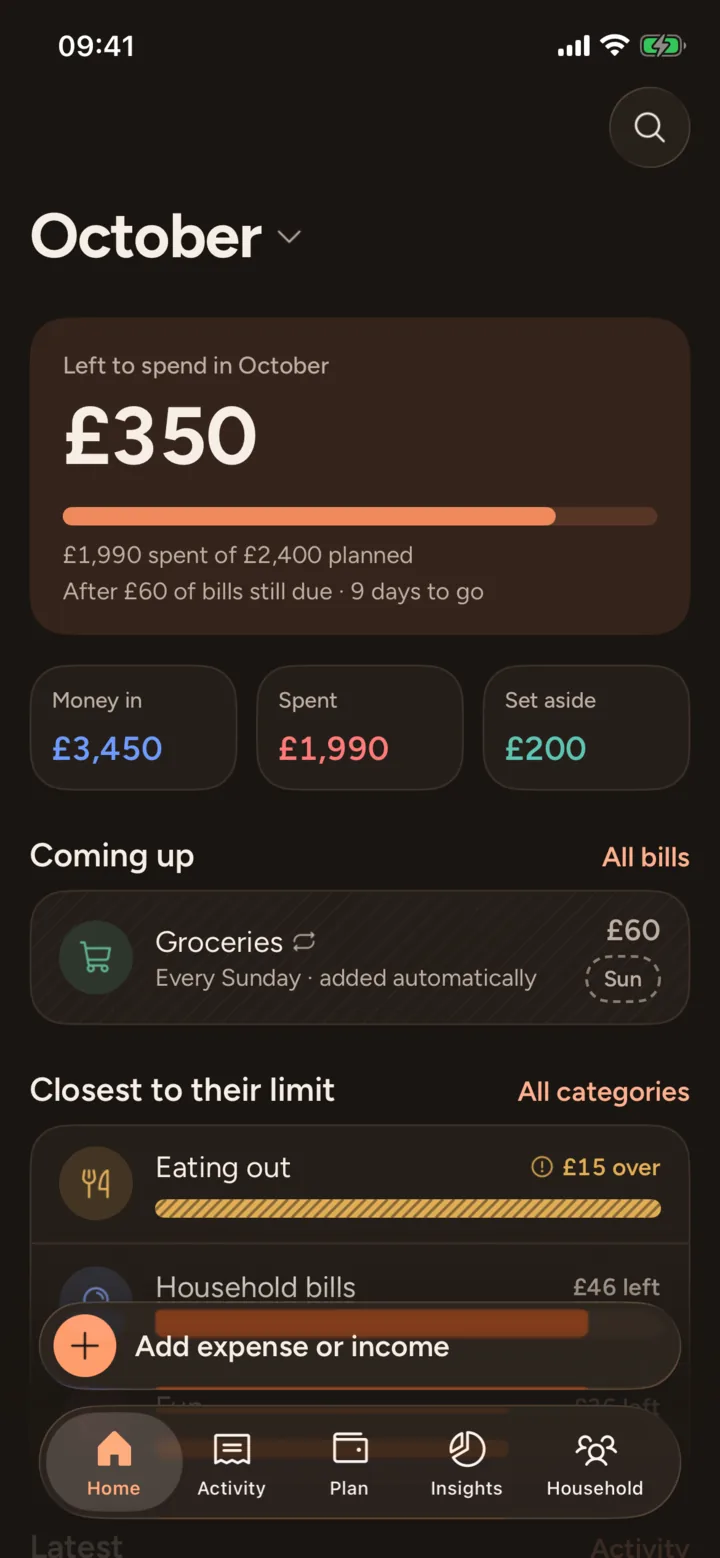
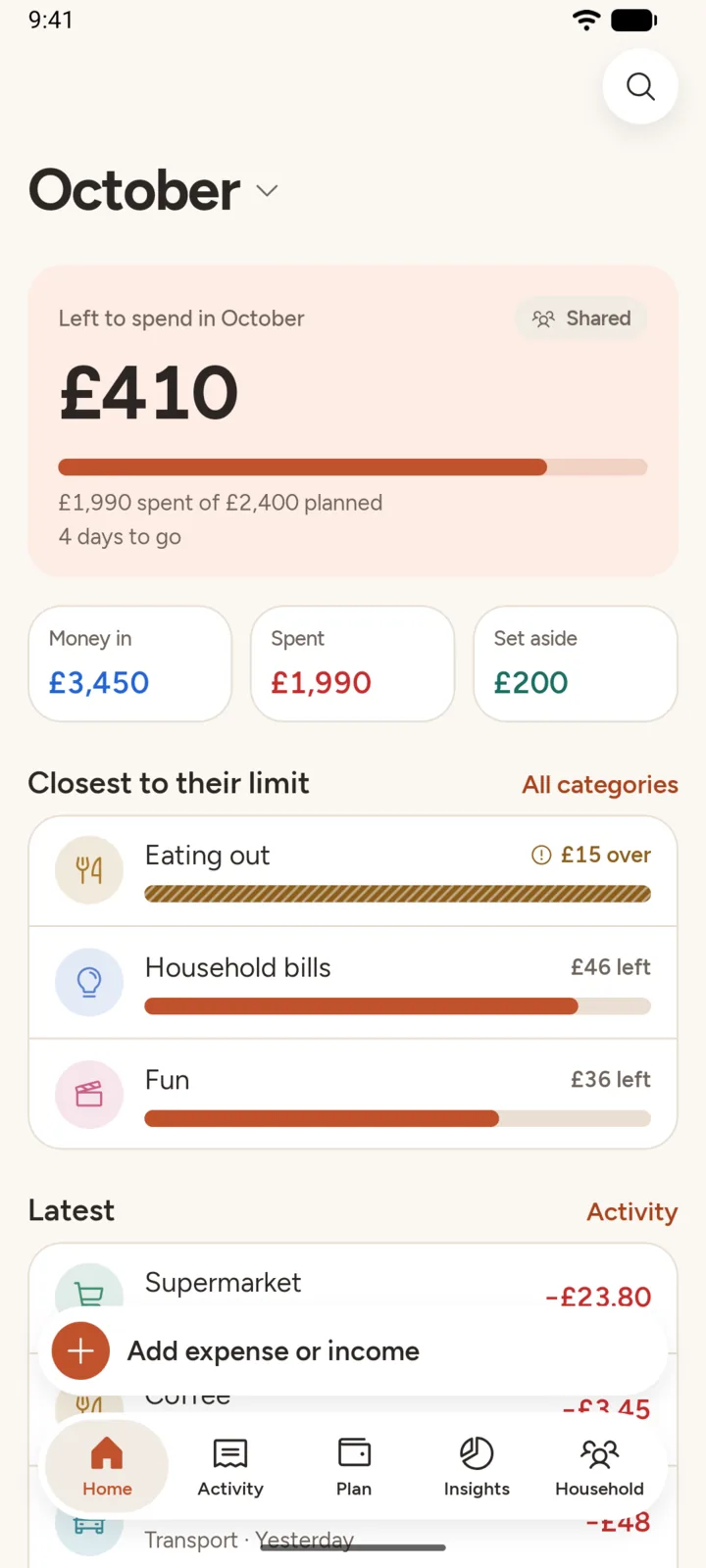
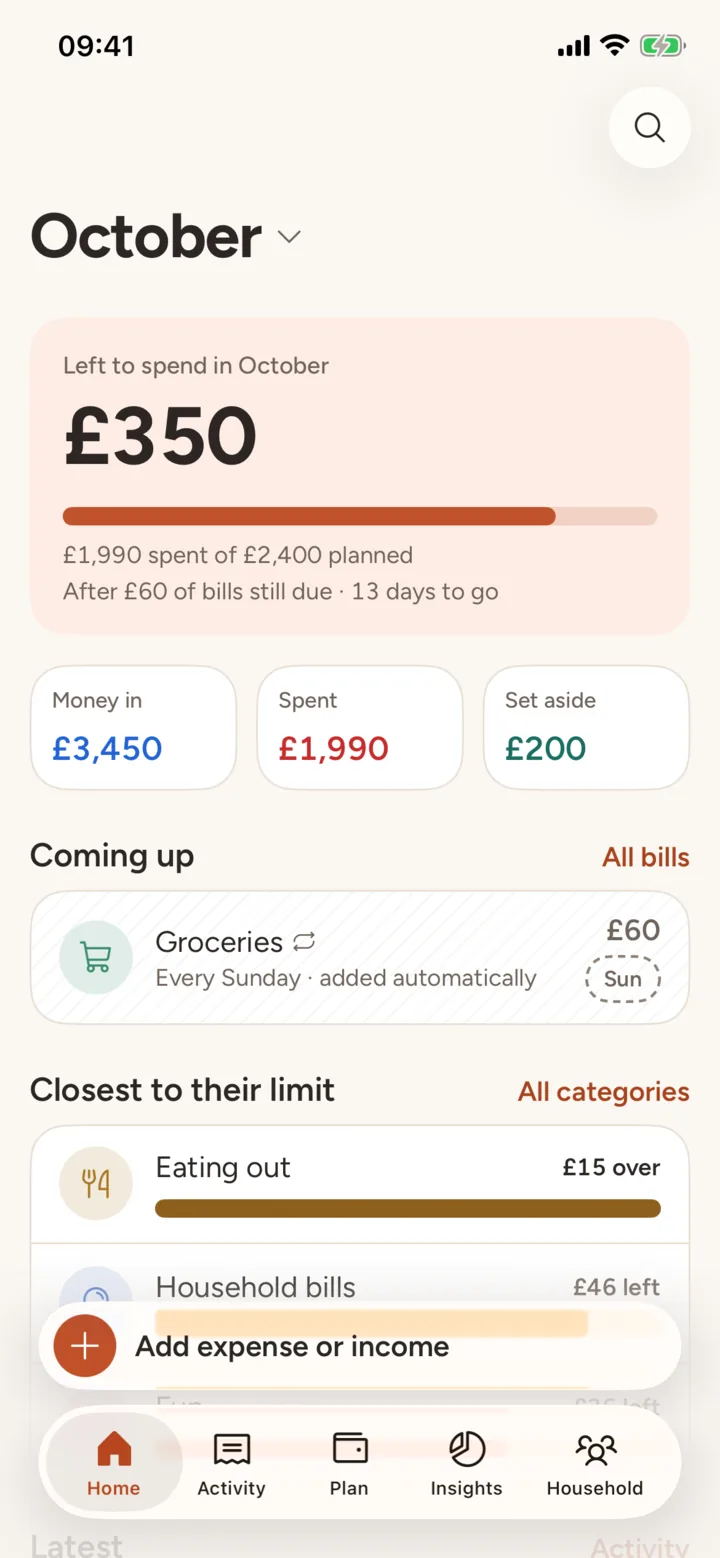
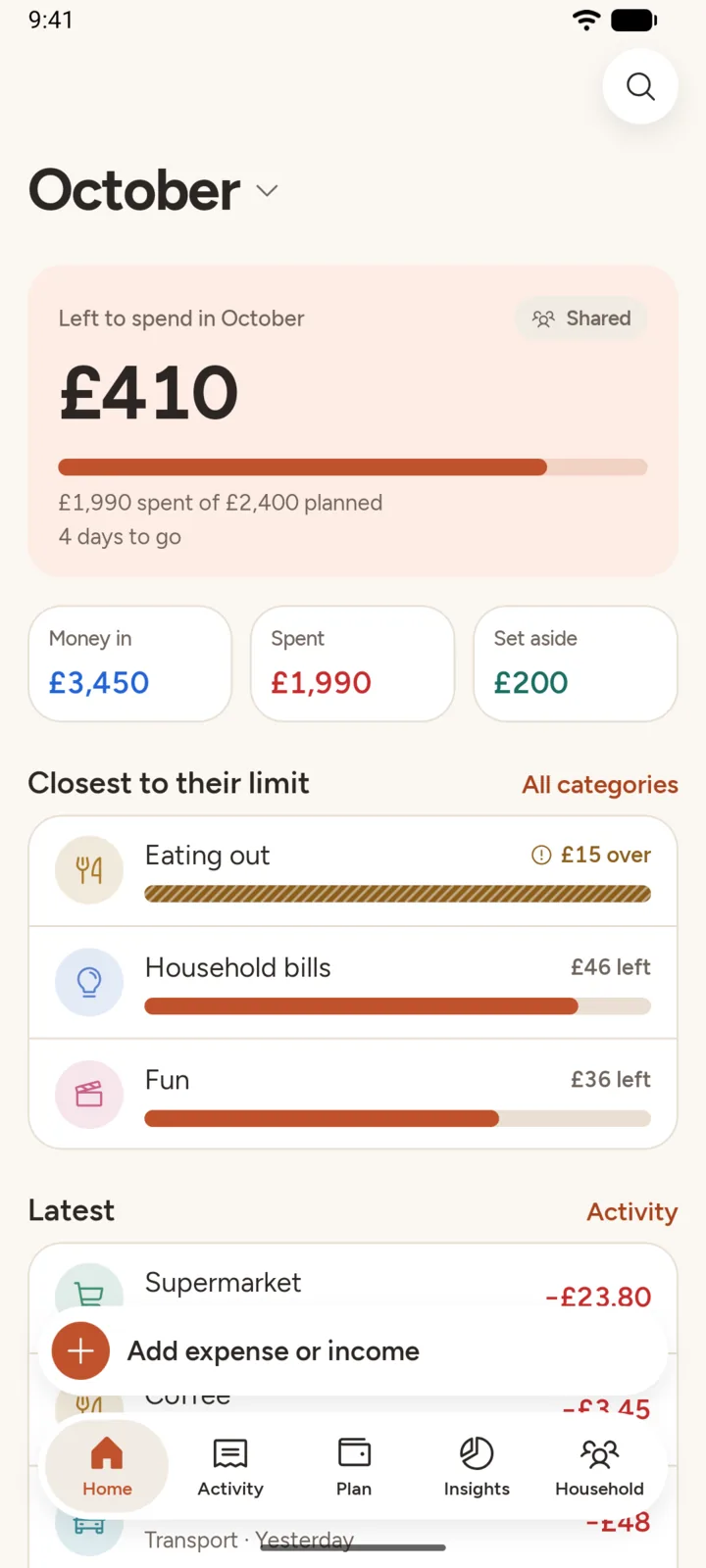
 App icon: PNG, 512 × 512 or SVG.
Accessibility
| Larger text | On iPhone and iPad, text follows your Dynamic Type size. Home, Add, Activity and Plan were checked at the accessibility sizes: amounts aren’t cut off and icons grow with the text. The number keypad and the widget stop growing at a set size so they still fit. On Android, text follows the system font size. |
|---|---|
| Dark Mode | Follows your phone’s setting on iPhone, iPad and Android, or choose Light or Dark in Household → Settings → Appearance. |
| Reduce Motion | On iPhone and iPad, animations fade instead of moving when Reduce Motion is on. |
| Screen readers | Buttons, rows and amounts have VoiceOver and TalkBack labels, but not every screen has been tested with a screen reader yet. If something doesn’t read well, please email [email protected]. |
| This website | A skip link, a text description of every screenshot, and light or dark to match your device. |
Contact
Email [email protected]. One person reads every message.